? QA Design Gurus: Mobile App Testing
Showing posts with label Mobile App Testing. Show all posts

Mar 25, 2016

Are you QAing a mobile application?

Have you started working on Mobile Application? Are you considering all aspects of testing when QAing a mobile application.

Following are few testing aspects that we should consider while testing mobile application:


Functional Testing
  • Validation of functionality
  • Smoke/Regression testing
  • Offline access testing
  • Negative testing
  • App sync/data between devices
Interoperability
  • Voice/SMS
  • Push Notifications
  •  Battery removal

Performance
  • CPU usage testing
  • Network usage
  • Page render time
Connectivity
  • Network strength/recovery/outage
  • Peripheral testing
  • Connectivity (Pairing issues, WIFI)
  • Compatibility testing with devices
Memory
  • Memory usage
  • Memory leaks

Installation
  • New App install
  • Uninstall and re-install
  • Upgrade testing
Usability
  • User experience
  • Competitive analysis
  • Expert review

Security testing
  • Test vulnerabilities
  • Project user data
  • Compliance with regulations
  • Data Encryption
I18N testing
  • Language support
  • Images and text
  • Currencies
  • Timezones
  • Context


source: http://adventuresinqa.com/2016/02/01/wearables-guest-post/

Dec 27, 2015

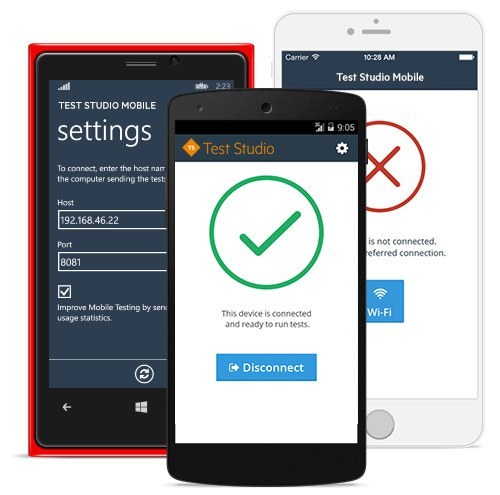
Mobile App Testing with Telerik Test Studio

Over the last few years, Mobile Applications development has grown exponentially. QA needs to ensure that every mobile application meets high quality. Testing mobile applications is complex and difficult compared to desktop and web applications. In mobile world, with frequent OS upgrades, new devices support, it is really complex to test mobile apps and to automate testing.
We will be able to solve these kind of issues with Telerik Test Studio Mobile.


It allows developers to write automated functional tests in JavaScript using a set of APIs we devised to make the process as easy as possible. With Test Studio, we can run automated tests on real devices as well as emulators. All we need to do is to install Mobile Testing agent on the devices we need to test. Agent will take care of connecting mobile device to our test studio script.

Dec 18, 2015

AWS Device Farm for Mobile App Testing

We have different types of mobile devices. They vary in the form factor, OS and various types of apps (native, hybrid, mobile-web) used in them.

Ref: http://www.flurry.com/sites/default/files/blog-images/SizeMatters_Chart2-resized-600_0.png 
This creates unique challenges to QA apps developed for mobiles. It is difficult to have all these combinations of devices with us. further running automated test cases across multiple real devices is another challenge.

AWS Device Farm is one solution for that. It allows you to test iOS or Android apps of native, hybrid or mobile-web categories on physical devices of your choice in the Cloud. They offer hardware and software isolation which helps us to ensure security and comes with several attractive features such as flexible pricing, schedule your runs, execute tests in parallel, consolidate results etc. 

Ref:https://d0.awsstatic.com/product-marketing/Mobile/DeviceFarm-productlandingpage-banner.png

Sep 26, 2015

Mobile App testing with real devices

Most of the companies are concentrating on Mobile App testing and quality.If any user/customer finds that quality is poor in the first try then that user/customer may not try it again. Customer may use an old device and Mobile app may not run smoothly on the old device. So, most of the companies are really caring about the quality of the App and supported devices.

 A lot of companies are getting most of their traction and money transactions happening through mobile. They care about security. We never know what device is being used by the customer. If we support only latest models then we may lose some business. We should support all the possible models.

We have so many development tools to develop a mobile app. Development tool provides iOS, Android & windows packages. Here the challenge is how to test these packages on real devices. You should not start setting up your own lab. If you setup your own lab then you will end up shutting it down. There are many real devices available in the cloud. You can use them. Few of them are listed below.


1) Telerik Device Cloud
2) Xamarin Test Cloud
3) AWS Device Farm
4) Testdroid

These cloud platforms are providing 300 to 2000 + devices. They update the platform after updates come out within a couple of hours. So, use these platforms, forget about infrastructure and concentrate on only your App.